Copilot Pages and Enterprise Decision Workflow Governance
What Microsoft’s New Copilot Pages Features Mean for Decision Workflows

42 minutes is the fastest I’ve watched a leadership team turn an AI draft into an unofficial “truth” that nobody had really approved.
That’s why Copilot Pages matters.
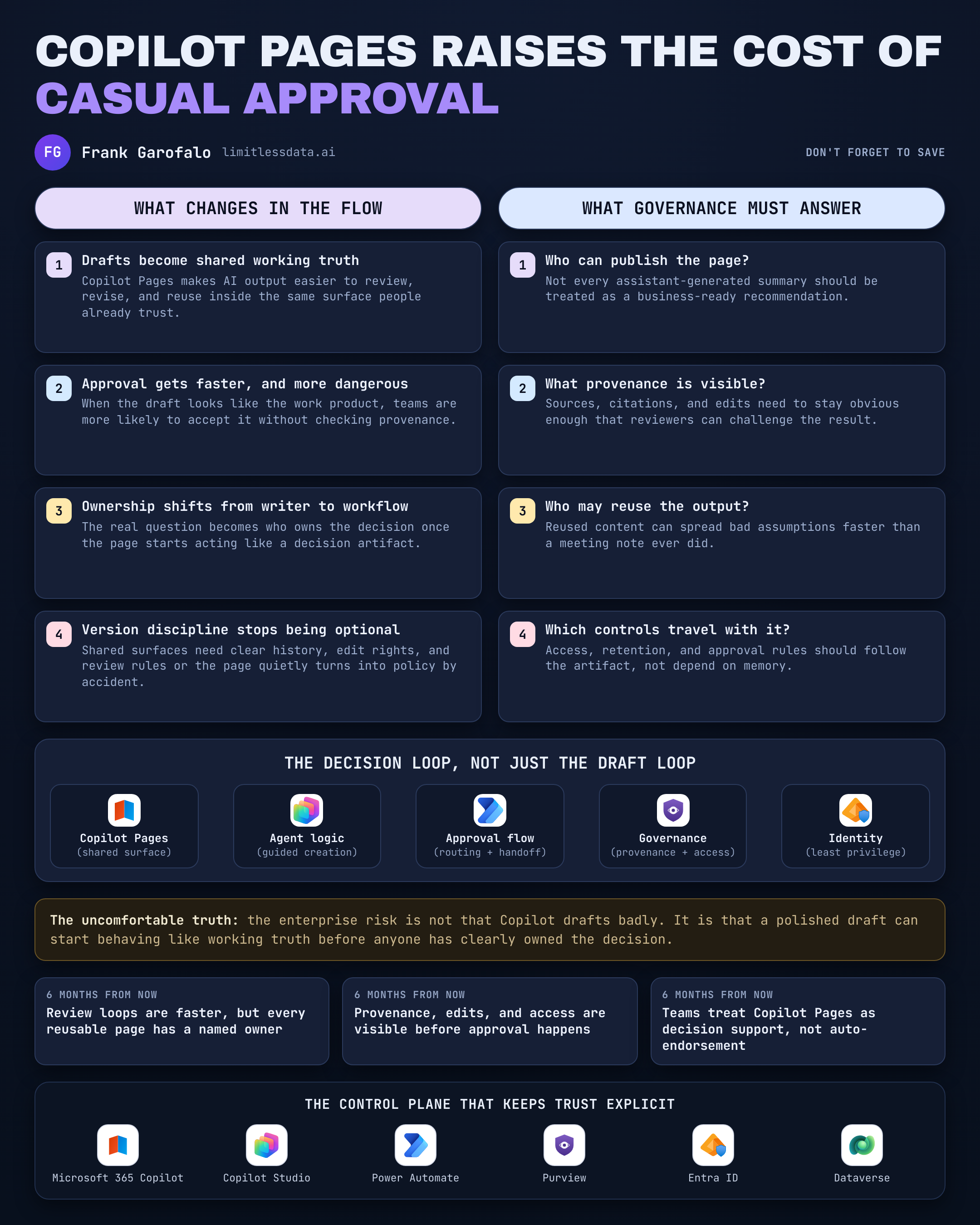
When AI moves into a shared work surface, the value is not just better drafting. The value is that generated content lands where people already inspect, amend, comment on, and act on work. Once a Copilot-generated page starts behaving like a working record, the enterprise question stops being “can Copilot help me draft?” and becomes “who owns the decision now?”
Microsoft has been pretty clear about the broader platform direction. Power Platform is being positioned around apps, automations, and agents, with Copilot Studio called out as the place to build and manage agents and workflows in a graphical low-code experience per the Microsoft Learn module. Microsoft also describes the Copilot harness as natural-language-first, single-surface, and orchestration-oriented in the Copilot Studio overview. So I’m not reading Copilot Pages as an isolated UI feature. I’m reading it as a workflow-design signal.
A shared Copilot work surface matters because it reduces friction in the review loop.
That sounds harmless until you see what actually happens in enterprises. The easier it is to move from generated text to visible team artifact, the easier it is for rough output to gain social authority. If five people can see it, comment on it, and reference it in a meeting, it starts to feel validated long before anyone has checked the assumptions underneath it.
I saw this in Q1 with a 14-person pricing operations team using a shared planning workspace: one AI-generated margin summary got pasted into the weekly decision pack, and by Thursday the CFO’s staff were debating rollout timing before anyone noticed the source table excluded two enterprise segments.
That failure mode is exactly why I think Copilot Pages should be evaluated as decision infrastructure, not convenience software.
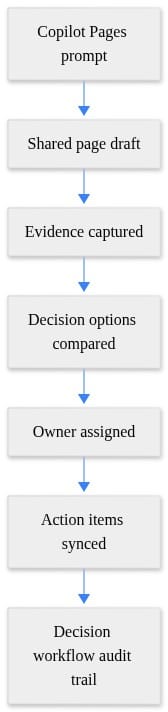
Look at the sequence in that flow: prompt, shared draft, evidence, options, owner, action items, audit trail. If your team skips “evidence captured” and “owner assigned,” you do not have a decision workflow. You have collaborative improv.
A few practical implications follow fast:
- Exploratory context can live on the page.
- Decision evidence must be named and sourced.
- Approved rationale must be explicitly marked by a human owner.
If you do not separate those three things, people will blur them under time pressure.
This is also where accountability changes. A shared AI artifact needs named roles or it becomes a blame vacuum. At minimum, I’d assign:
- decision owner
- content editor
- data steward
- reviewer
- workflow owner
Those are not the same job. The decision owner is accountable for judgment. The data steward stands behind the source. The workflow owner makes sure the process behaves correctly across tools.
And before scale, leaders should settle five things:
- versioning
- provenance
- access boundaries
- operational truth
- escalation
If you want one simple pattern, use a three-state model:
- AI-proposed
- Human-reviewed working content
- Formally approved operational content
Do not let teams collapse those into one blurry collaborative state. Visibility is not approval.
That’s my core take on Copilot Pages: the opportunity is not more drafting. It’s better decision loops with sharper human accountability.
Which part of this would you reverse in your environment: the three-state model, the named decision owner, or the rule that shared visibility never counts as approval?
#Microsoftcopilot #EnterpriseAI #Datagovernance
Sources & References
- Official Microsoft Power Apps documentation - Power Apps
- Official Microsoft Power Platform documentation - Power Platform
- About agents powered by the Microsoft Copilot harness - Microsoft Copilot Studio
- What's new in Copilot Studio - Microsoft Copilot Studio
- Get started with Microsoft Copilot Studio - Training
- Copilot in Power Automate - Power Automate
- Prepare Your Data for AI to Improve Copilot Results (Preview) - Power BI
- Explore the Power Automate home page - Power Automate
Try it yourself
Run this tutorial as a Jupyter notebook: Download runbook.ipynb (22 cells, 17 KB).