Government Copilot Just Moved From Pilot to Program
How Copilot in PowerPoint for Government Clouds Changes the Playbook for Regulated Productivity

If Copilot in PowerPoint is now in your government cloud roadmap, the question is no longer “Should we pay attention?” It is “Are we ready to govern it before users normalize it?”
Government-cloud Copilot is not a feature story. It is a governance story with a user interface.
Copilot in PowerPoint for government clouds is more than a product milestone. It is a planning signal that regulated AI is moving from controlled experimentation into operational readiness, where trust, procurement, governance, and adoption sequencing matter as much as features. And one caveat up front: feature scope and timing can vary by cloud environment, tenant, and release stage, so every organization should validate current support in its specific government cloud before making rollout assumptions.
Why this moment matters beyond one PowerPoint feature
The shallow read is that Microsoft added another Copilot experience to another environment, so regulated organizations can celebrate incremental parity and move on.
That misses the real shift.
Government-cloud availability changes the executive conversation from whether regulated organizations can consider AI productivity tools to how they should validate, govern, procure, and phase them responsibly. Microsoft’s own Microsoft 365 Copilot documentation frames deployment around planning, architecture, security, governance, privacy, and release management as core IT responsibilities, not optional afterthoughts. The docs are here: Microsoft 365 Copilot overview and deployment guidance at https://learn.microsoft.com/en-us/microsoft-365/copilot/ and architecture guidance at https://learn.microsoft.com/en-us/microsoft-365/copilot/microsoft-365-copilot-architecture.
My opinion is straightforward: if you lead IT, security, compliance, records, or workplace modernization in a regulated environment, treat PowerPoint availability in government clouds as a trigger to start structured rollout planning now. Waiting for “perfect certainty” is not prudence anymore. It is indecision disguised as governance.
A scene I have seen more than once: a public sector communications team spends weeks debating whether AI-generated slide drafts are even discussable, while Microsoft 365 admins have already mapped licensing, device management, and DLP prerequisites but have no executive mandate to proceed.
That is the playbook that has to change.
What leaders should ask now
The old question was: “Can we even consider AI productivity in a regulated tenant?”
The better question is: “Under what conditions can we deploy it safely, measurably, and with clear boundaries?”
That question is actionable. It gives procurement teams a stronger basis to evaluate AI productivity as part of mainstream workplace modernization. It gives platform owners permission to sequence enablement and support. It gives compliance leaders a concrete service context to assess rather than an abstract future capability.
It also forces precision. Microsoft distinguishes Microsoft 365 Copilot Chat from Microsoft 365 Copilot, and that distinction matters for capability scope, licensing, and rollout expectations in regulated environments. The FAQ is here: https://learn.microsoft.com/en-us/copilot/faq.
Here is the rollout logic I recommend leaders socialize internally. Start with readiness gates, not enthusiasm.
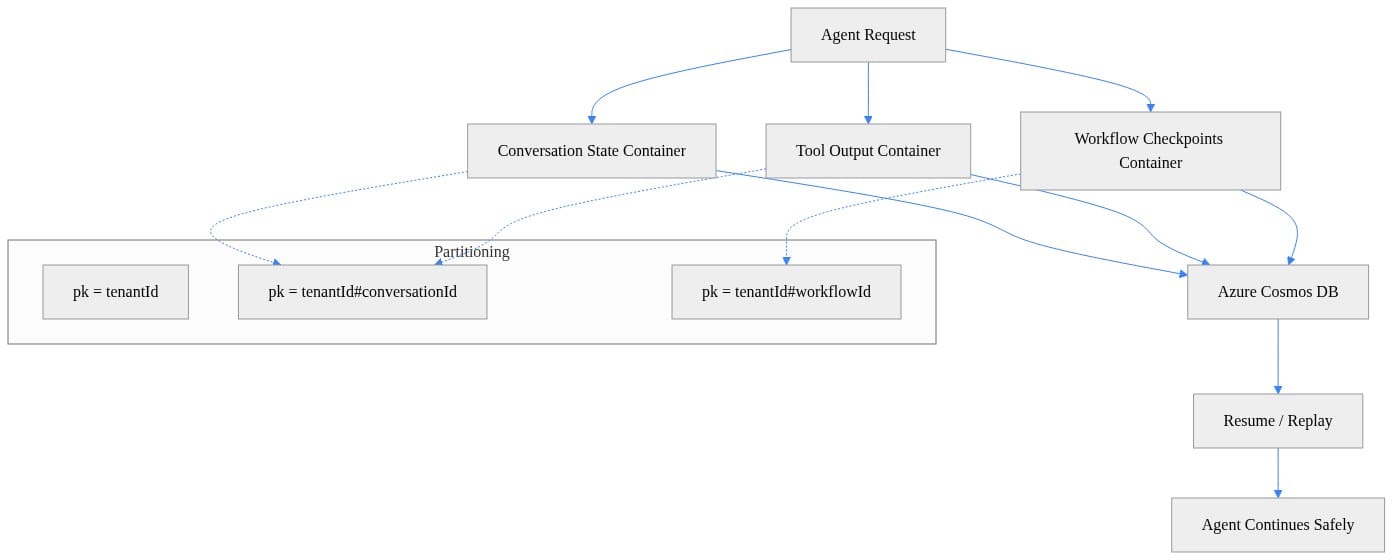
What matters in that sequence is simple: tenant readiness and policy posture come before prompting workshops. That is how regulated productivity should be introduced.
The real issue is data boundary confidence
Regulated organizations do not care about AI novelty nearly as much as they care about where prompts, responses, and generated artifacts live, how they are processed, and which controls still apply.
That is why the most important fact in this conversation is not “Copilot can draft slides.” It is that Microsoft documents Copilot Chat prompts and responses as being processed within the Microsoft 365 service boundary and covered by enterprise data protection expectations. That is a foundational trust statement for regulated planning: https://learn.microsoft.com/en-us/copilot/privacy-and-protections.
But service-boundary confidence is necessary, not sufficient.
You still need tenant-specific validation of:
- data residency expectations
- connected experiences and optional web grounding posture
- file permission inheritance
- sensitivity labels and downstream sharing behavior
- audit and review expectations
Microsoft specifically notes that web grounding is optional in Microsoft 365 Copilot and Copilot Chat, including considerations for United States government customers: https://learn.microsoft.com/en-us/microsoft-365/copilot/manage-public-web-access.
PowerPoint makes these questions more visible because presentations compress several risks into one artifact. A deck may summarize internal documents, synthesize multiple files, reframe content for a new audience, and then get shared far beyond the original author.
Before you pilot, do a basic readiness inventory. This example is illustrative rather than a direct admin command, but it reflects the kind of Microsoft 365 and Purview signals I would want in front of an executive sponsor.
# Inventory core Copilot readiness signals for a regulated Microsoft 365 rollout
$readiness = [pscustomobject]@{
    TenantName = "contoso-gov.onmicrosoft.com"
    Cloud = "GCC High"
    PowerPointDesktopManaged = $true
    Microsoft365AppsCurrent = $true
    SensitivityLabelsPublished = $true
    PurviewAuditEnabled = $true
    DlpPoliciesEnabled = $true
    ConditionalAccessBaseline = $true
    ApprovedPilotGroup = "M365-Copilot-PowerPoint-Pilot"
}

$readiness | Format-List
This is not glamorous work, but it is the work that prevents a pilot from turning into a governance fire drill.
Compliance posture does not arrive automatically
A dangerous misconception is that if a service is available in a government cloud, compliance posture somehow comes bundled with it.
It does not.
Microsoft Purview Data Loss Prevention can be used to protect interactions with Microsoft 365 Copilot and Copilot Chat. That matters because it reinforces the right model: govern AI usage through existing compliance controls where possible, rather than inventing a separate AI-only control stack. Microsoft’s Purview documentation is here: https://learn.microsoft.com/en-us/purview/dlp-microsoft365-copilot-location-learn-about.
That means legal review, records considerations, insider risk thinking, and acceptable-use definitions still belong in the rollout plan.
This is where I take a stronger position than many teams do: regulated organizations should document approved and prohibited PowerPoint-generation scenarios before broad enablement.
A compact framework works better than a long policy memo:
| Approved first | Restricted or prohibited |
|---|---|
| First-draft internal briefings from already-permitted source documents | Decks intended for public release without human review |
| Executive summary slides for existing policy papers | Synthesis across highly sensitive or compartmented content unless explicitly authorized |
| Meeting recap decks built from internal notes and files with aligned permissions | Audience-tailored briefings where classification, export control, or legal privilege is unclear |
And yes, you should test for policy posture exceptions at the user level before a pilot expands. Again, this example is illustrative, but it shows the kind of exception reporting that belongs in a regulated rollout.
# Flag policy posture exceptions that could block a compliant Copilot in PowerPoint pilot
$users = @(
    [pscustomobject]@{ User="alex@contoso.gov"; MFA=$true; ManagedDevice=$true; SensitivityTraining=$true }
    [pscustomobject]@{ User="sam@contoso.gov"; MFA=$true; ManagedDevice=$false; SensitivityTraining=$true }
    [pscustomobject]@{ User="lee@contoso.gov"; MFA=$false; ManagedDevice=$true; SensitivityTraining=$false }
)

$exceptions = foreach ($u in $users) {
    if (-not ($u.MFA -and $u.ManagedDevice -and $u.SensitivityTraining)) {
        [pscustomobject]@{
            User = $u.User
            Exception = @(
                if (-not $u.MFA) { "MFA missing" }
                if (-not $u.ManagedDevice) { "Device not managed" }
                if (-not $u.SensitivityTraining) { "Training incomplete" }
            ) -join "; "
        }
    }
}

$exceptions | Format-Table -AutoSize
The blockers are usually ordinary enterprise controls like MFA, managed devices, and training completion. Safe AI rollout is mostly disciplined platform operations.
Why PowerPoint matters more than it looks
Some leaders still treat PowerPoint as a lightweight surface compared with Teams, Word, or custom workflow automation.
That is a mistake.
PowerPoint is where executives decide whether AI is useful. It is high-visibility, high-judgment work. A bad spreadsheet formula may stay local. A bad slide can shape a briefing, a budget discussion, or a policy review in front of senior leadership.
PowerPoint also concentrates regulated risk:
- summarization can omit critical nuance
- synthesis can over-combine sensitive context
- audience targeting can unintentionally expose details inappropriate for that audience
- generated narratives can project confidence that the source material does not justify
That is exactly why success in PowerPoint matters. If governance can keep pace here, confidence expands across Word, Excel, Teams, and later extensibility. If governance fails here, the broader Copilot program loses credibility.
Microsoft also positions Microsoft 365 Copilot APIs as a way to securely access Copilot capabilities in custom applications while aligning with Microsoft 365 compliance standards. For regulated organizations, that matters because PowerPoint is rarely the end state; it is the proving ground for broader workflow integration: https://learn.microsoft.com/en-us/microsoft-365/copilot/extensibility/copilot-apis-overview.
My view: PowerPoint is not the shallow end of regulated AI productivity. It is the first real exam.
A pragmatic rollout sequence for regulated organizations
If you are a CIO, CDO, or platform owner, here is the rollout sequence I would use.
Phase 1: Validate tenant eligibility and scope
Confirm service availability for your specific government environment, licensing assumptions, supported client paths, and feature scope. Do not let users define “available” based on commercial-cloud screenshots.
A simple licensing visibility check can quickly expose who is actually ready for pilot participation. This is a conceptual reporting pattern based on exported assignment data, not a direct Microsoft Graph or admin center command.
# Summarize licensing visibility for pilot users from exported assignment data
$licenses = @(
    [pscustomobject]@{ UserPrincipalName="alex@contoso.gov"; CopilotLicense=$true; PowerPointApps=$true; PilotGroup=$true }
    [pscustomobject]@{ UserPrincipalName="sam@contoso.gov";  CopilotLicense=$true; PowerPointApps=$true; PilotGroup=$false }
    [pscustomobject]@{ UserPrincipalName="lee@contoso.gov";  CopilotLicense=$false; PowerPointApps=$true; PilotGroup=$true }
)

$summary = $licenses | Select-Object UserPrincipalName,
    @{Name="ReadyForPilot";Expression={ $_.CopilotLicense -and $_.PowerPointApps -and $_.PilotGroup }}

$summary | Format-Table -AutoSize
Phase 2: Align control owners
Bring legal, compliance, privacy, records, security, and workplace engineering into one decision loop. Their job is to define the conditions for a defensible rollout.
Phase 3: Configure baseline controls
Set your web access posture intentionally. Align sensitivity labeling expectations. Confirm DLP coverage. Define audit expectations. Publish support and escalation paths.
Phase 4: Launch a narrow pilot
Start with executive staff, communications teams, and policy authors who create high-value presentations and can provide disciplined feedback. Avoid mass enablement. Narrow pilots produce usable evidence.
Phase 5: Measure adoption and risk
Microsoft provides measurement through the Copilot Dashboard in Viva Insights, which supports usage and adoption analysis for phased deployment and executive reporting: https://learn.microsoft.com/en-us/viva/insights/org-team-insights/copilot-dashboard.
You do not need a perfect data science program to start. You need clear pilot metrics. This lightweight example shows how exported usage data can be turned into an executive summary.
# Build an executive summary of pilot adoption from exported Microsoft 365 usage data
import csv
from io import StringIO

data = StringIO("""user,department,prompts_used,deck_creations
alex@contoso.gov,Operations,18,6
sam@contoso.gov,Finance,7,2
lee@contoso.gov,Operations,0,0
""")

rows = list(csv.DictReader(data))
active_users = sum(1 for r in rows if int(r["prompts_used"]) > 0)
total_prompts = sum(int(r["prompts_used"]) for r in rows)

print({
    "pilot_users": len(rows),
    "active_users": active_users,
    "adoption_rate": round(active_users / len(rows), 2),
    "total_prompts": total_prompts,
})
Pair adoption data with compliance exception reporting. That gives executives the only dashboard that matters: value signals next to control gaps.
What leaders should say internally right now
Here is the message I would send to business leaders and platform teams:
“We are moving from observation to planning. Government-cloud availability means this capability is ready for structured evaluation in our environment. It does not mean unrestricted use. We will validate service scope, align legal and compliance requirements, configure controls, run a narrow pilot, and expand only when the evidence supports it.”
That message creates momentum without losing discipline. I would also publish a short readiness FAQ covering:
- what data handling assumptions are documented by Microsoft
- how Copilot differs from Copilot Chat in your licensing context
- whether web grounding is enabled or restricted
- which PowerPoint scenarios are approved
- how users escalate suspected errors, oversharing, or policy concerns
The strategic move is not to treat PowerPoint as a one-off exception. It is to use it to build a repeatable regulated AI operating model across Microsoft 365:
- common readiness gates
- common control mapping
- common pilot metrics
- common exception handling
- common executive reporting
My opinionated takeaway is simple: the winners will not be the organizations that authorize fastest. They will be the organizations that sequence best. Government-cloud availability for Copilot in PowerPoint is a trigger for enterprise change, not a trophy for vendor parity.
Which barrier is hardest in practice in your environment: data boundary validation, Purview control mapping, or executive sponsorship?
#Microsoft365Copilot #GovernmentCloud #Compliance
Sources & References
- Microsoft 365 Copilot hub
- Microsoft 365 Copilot Chat Privacy and Protections
- Microsoft 365 Copilot APIs Overview
- How does Microsoft 365 Copilot work?
- Data, privacy, and security for web search in Microsoft 365 Copilot and Microsoft 365 Copilot Chat
- Frequently asked questions about Microsoft 365 Copilot Chat
- Microsoft Purview DLP for Microsoft 365 Copilot and Copilot Chat
- Connect to the Microsoft Copilot Dashboard for Microsoft 365 customers
Try it yourself
Run this tutorial as a Jupyter notebook: Download runbook.ipynb (25 cells, 19 KB).



