OneLake Catalog Table Discovery for Fabric Governance
OneLake Catalog table discovery: the missing usability layer for Fabric governance

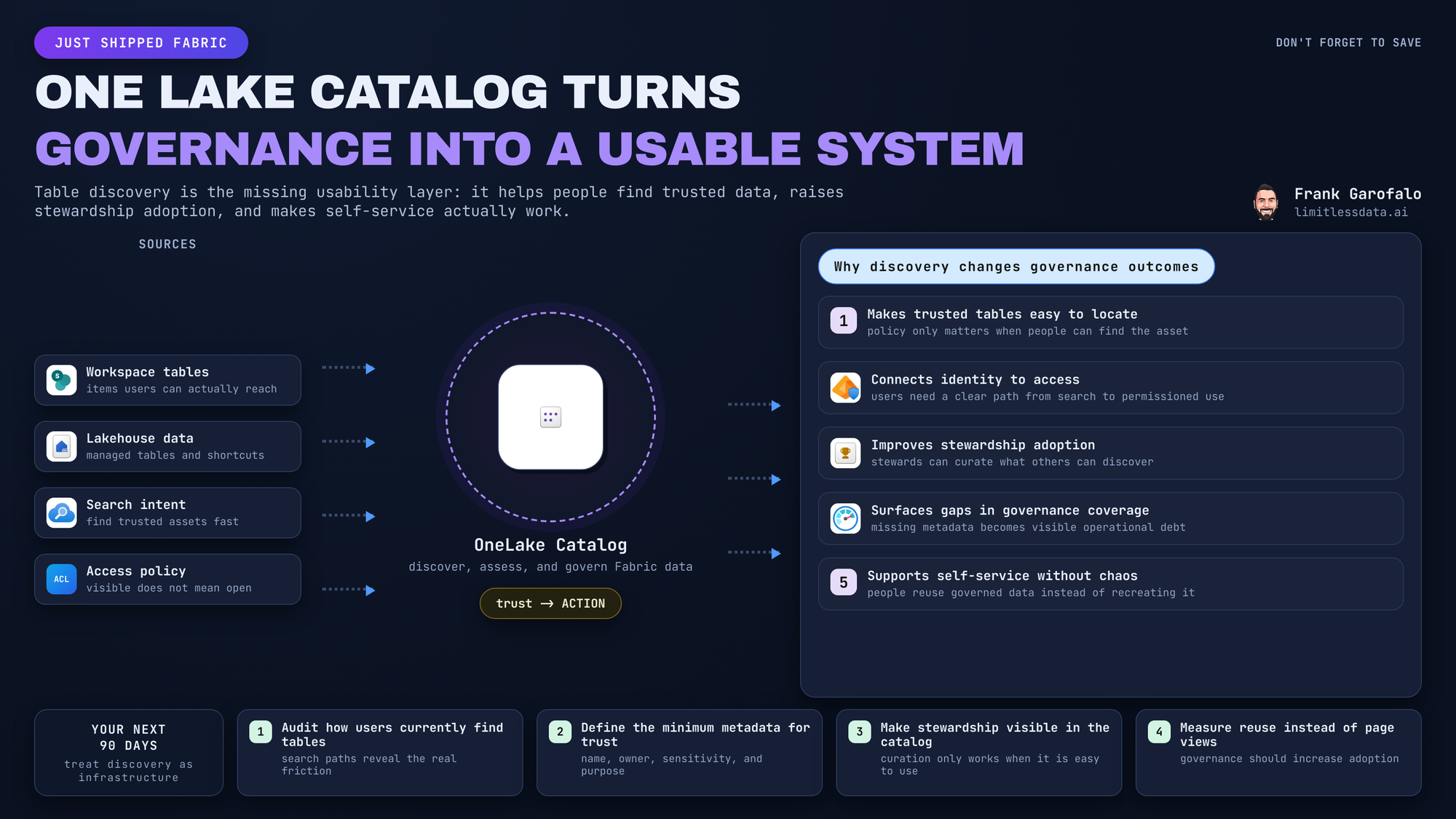
“Why do we have governed data products if nobody can find the right table?”
On this page
That’s the real usability gap in Fabric governance.
Microsoft positions OneLake as the unified data lake, and the catalog as the place to discover and govern Fabric data items. But storage, security, and policy controls still don’t answer the analyst’s first question:
Which table should I trust for this business problem?
The missing layer: findability
As Fabric adoption scales, table discovery becomes operationally important.
Discovery does not override workspace permissions or role boundaries. It does something just as valuable: it helps users understand what data is available within the access model you already designed.
That’s why I see OneLake Catalog table discovery as a governance capability, not just a UI improvement.
Why this matters
Most analytics decisions still happen at the table level.
An analyst usually needs to decide:
- use this table
- ignore that one
- request access to another
If users can enter the right workspace but still can’t identify the trusted table, self-service breaks down fast.
Where stewardship gets real
Once discovery is part of the daily workflow, metadata quality stops being a side task.
What suddenly matters:
- clear descriptions
- accountable owners
- certification signals
- sensitivity labels
- consistent naming
A simple way to start is to review discovered tables and flag obvious metadata gaps first.
# PSEUDO-CODE: Illustrates the concept of programmatic discovery
# Python: discover OneLake Catalog tables and summarize governance metadata
from fabric_sdk import FabricClient

client = FabricClient()
tables = client.onelake.catalog.tables.list(workspace="governance-ws")

for t in tables:
    print({
        "name": t.name,
        "domain": t.domain,
        "owner": t.owner,
        "sensitivity": t.tags.get("sensitivity", "unset"),
        "certified": t.certified
    })
What I’d look for first:
- missing owners
- inconsistent domain labels
- sensitivity tags without business descriptions
Keep the rollout simple
Don’t confuse discovery with trust automation. A discoverable table is not automatically a good table.
I’d start with a few high-demand domains and track:
- time spent locating candidate data
- reuse of trusted tables
- repeated requests for owner or definition clarification
The deeper operating model matters, but it belongs in a longer blog post. The short version: start narrow, assign owners early, and measure whether discovery actually reduces friction.
Treat table discovery as governance infrastructure.
That’s the announcement that matters for Fabric teams right now.
How would you rate your current Fabric table findability from 1 to 5?
#MicrosoftFabric #Datagovernance #DataArchitecture
Try it yourself
Run this tutorial as a Jupyter notebook: Download runbook.ipynb (18 cells, 14 KB).



