Azure Cosmos DB Partition Keys Decide Your Future Bill
Azure Cosmos DB Partition Key Strategy: Choosing the Right Approach Before You Scale

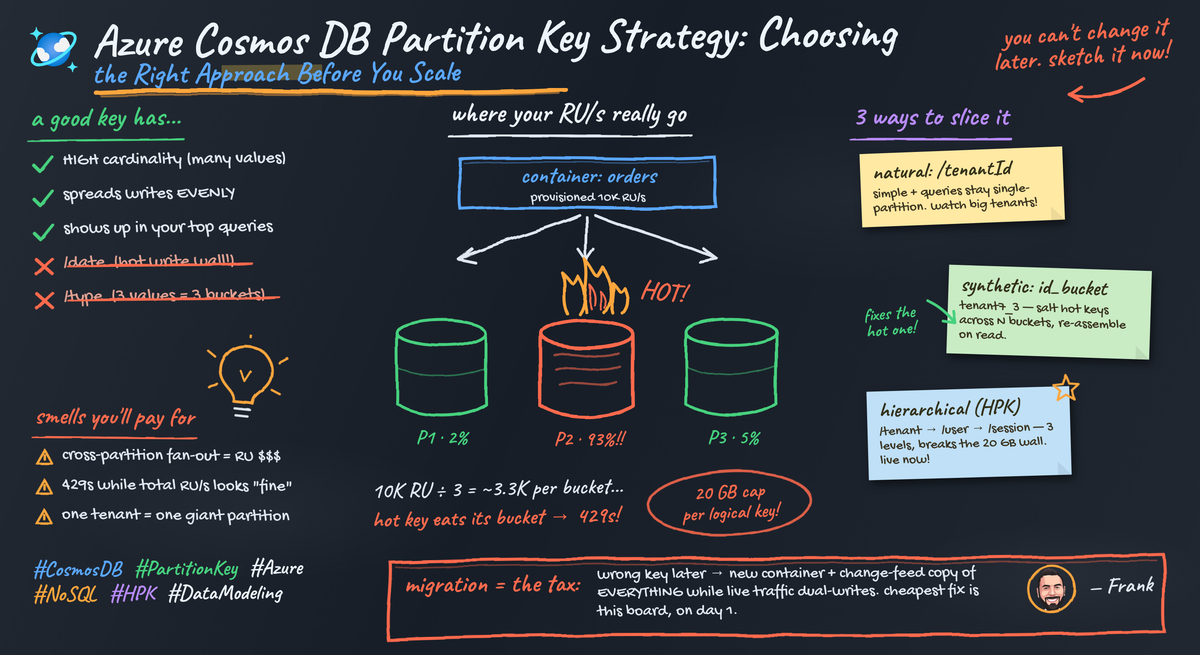
Partition keys are not a tuning detail. They are a scaling contract.
Most Cosmos DB partition key mistakes do not fail loudly at launch. They compound quietly into higher RU spend, operational workarounds, and painful redesigns long before anyone labels the issue “scale.”
If your team is debating the partition key near the end of delivery, the architecture review happened too late. In Azure Cosmos DB, partition key selection is an early commitment that shapes throughput distribution, storage distribution, query cost, and how gracefully the system handles growth and skew.
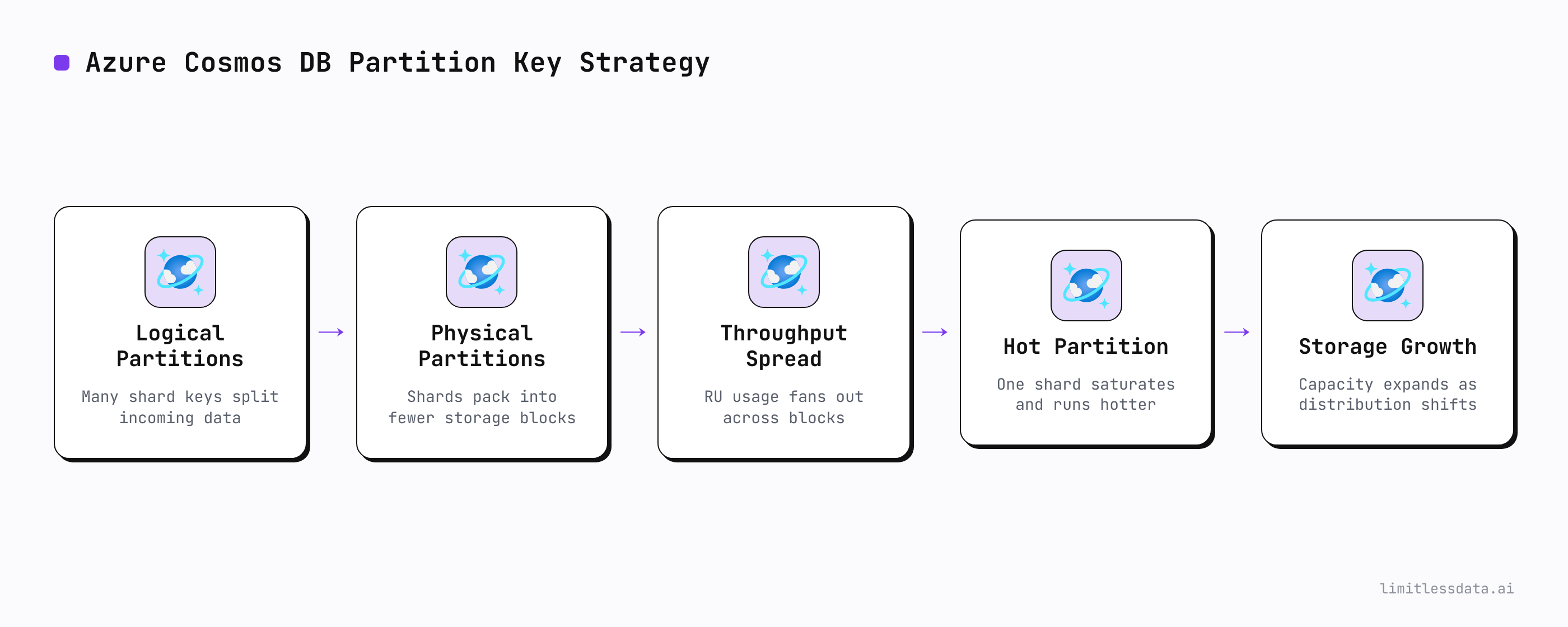
Azure documents this plainly: Cosmos DB scales containers through partitioning, where logical partitions are defined by partition key values and mapped across physical partitions. That is not an implementation footnote. It is the mechanism behind scale itself. A weak choice here shows up later in RU efficiency, localized bottlenecks, cross-partition query cost, and service-limit headroom (Microsoft Learn: partitioning, quotas and limits, query behavior).
The expensive myth that partition keys are a tuning detail
The conventional wisdom says: pick something with decent cardinality, ship, and optimize later.
That advice is wrong.
A partition key is one of the few Cosmos DB decisions that keeps charging interest after launch. Early on, almost any reasonable-looking model appears healthy because:
- traffic is low
- data volume is small
- the hottest customers have not arrived
- support and admin tooling are barely used
- backfills and retention jobs are not yet stressing the data shape
That false calm is exactly why teams underestimate the decision.
A logical partition in Cosmos DB has service limits, so a poor key can create hot partitions and localized saturation even when total container RU/s and storage look fine at the container level (Microsoft Learn: partitioning). You can have “enough capacity” on paper while still throttling the workload that matters.
In Q1, a 14-person SaaS team I advised launched an event container keyed on /tenantId, looked stable for three weeks, then watched one enterprise pilot tenant generate enough concentrated write traffic to trigger throttling while overall RU utilization still looked comfortably below budget.
That is not a performance bug. That is architecture.
Leaders should classify partition key choice alongside tenancy model, consistency level, and regional topology. Cosmos DB consistency choices affect latency, availability, and throughput tradeoffs for distributed reads and writes, while partition design independently shapes locality and load concentration (Microsoft Learn: consistency levels). They interact in production, but they are not the same problem.
What the partition key really controls in Cosmos DB
The partition key does far more than spread writes.
It controls at least five things that matter to production systems:
- Throughput distribution
Logical partitions are mapped across physical partitions, so the key directly influences how RU/s is consumed across the container (Microsoft Learn: partitioning).
- Storage distribution
Data growth follows key values. If one key accumulates disproportionate data, you create operational concentration, not just usage concentration.
- Query locality
Queries that can target a specific partition key value are usually far more efficient than fan-out queries that touch many partitions. Cosmos DB query behavior is explicitly tied to data distribution, and cross-partition queries can consume more RU than partition-local reads (Microsoft Learn: query).
- Transactional boundaries
In Cosmos DB, operations with transactional scope are tied to logical partitions. If your business transaction spans entities that never co-locate under the same key, you are choosing complexity up front.
- Hotspot behavior
When one logical partition becomes hot, adding more overall RU/s does not automatically fix the overloaded key. The bottleneck is localized.
Short version: cardinality matters, but locality and skew matter just as much.
Why common instincts fail under real workloads
Three partition key instincts show up constantly, and all three are incomplete.
1. tenantId is not automatically the enterprise-safe answer
Yes, it aligns with isolation stories. Yes, it can simplify per-tenant reasoning.
But if tenant size and activity are uneven, /tenantId can be disastrous. One flagship customer, one migration batch, or one bursty integration can overload a logical partition while the rest of the container stays quiet.
2. userId is not saved by high cardinality alone
Teams often overvalue cardinality. /userId looks attractive because there are many users.
But high cardinality is not enough. If your important reads aggregate by tenant, organization, project, or time window, userId damages read locality. It can also still skew if a small number of users dominate traffic, such as service accounts, bots, or operational actors.
3. Timestamp keys solve one problem by creating others
Time-based keys can spread writes for append-heavy workloads, but they often wreck read locality for real application queries. They also create operational pain for time-window reads, retention processes, and recency-heavy hotspots. Evenly distributed writes are not a win if every meaningful read becomes a fan-out.
This is where teams need numbers, not vibes. A lightweight simulation is often enough to compare candidate keys before production. These Python snippets are heuristic workload tests for comparing options, not faithful models of Cosmos DB internals.
First, generate representative sample events for a realistic workload shape.
# Build sample event data to test candidate partition keys before production
from collections import Counter
import random

random.seed(7)
tenants = ["t1"] * 55 + ["t2"] * 25 + ["t3"] * 15 + ["t4"] * 5
regions = ["us", "eu", "apac"]
events = []

for i in range(1000):
    tenant = random.choice(tenants)
    region = random.choice(regions)
    user_id = f"user-{random.randint(1, 250)}"
    events.append({
        "id": str(i),
        "tenantId": tenant,
        "region": region,
        "userId": user_id,
        "eventType": random.choice(["view", "click", "checkout"]),
    })

print(events[:3])
print("total_events =", len(events))
What to observe: the sample intentionally includes uneven tenant distribution. That is the point. Median behavior is not what breaks systems; concentrated behavior does.
Next, compare candidate keys for cardinality and top-key concentration.
# Compare candidate partition keys for cardinality, skew, and hot-partition risk
from collections import Counter

events = [{"tenantId": "t1", "region": "us", "userId": "u1"},
          {"tenantId": "t1", "region": "us", "userId": "u2"},
          {"tenantId": "t2", "region": "eu", "userId": "u3"},
          {"tenantId": "t1", "region": "us", "userId": "u4"},
          {"tenantId": "t3", "region": "apac", "userId": "u5"}] * 200

candidates = {
    "/tenantId": lambda e: e["tenantId"],
    "/region": lambda e: e["region"],
    "/tenantId#userId": lambda e: f'{e["tenantId"]}#{e["userId"]}',
}

for name, selector in candidates.items():
    counts = Counter(selector(e) for e in events)
    total = sum(counts.values())
    hottest = counts.most_common(1)[0][1]
    skew = round(hottest / total, 3)
    risk = "HIGH" if skew > 0.2 else "MEDIUM" if skew > 0.1 else "LOW"
    print(f"{name:16} keys={len(counts):4} hottest={hottest:4} skew={skew:>5} risk={risk}")
What to observe: the strongest candidate is rarely the one with the prettiest schema story. Look at the hottest key share, not just the number of distinct values.
A decision framework leaders should use before scale arrives
Here is the framework I recommend in architecture reviews.
Score each candidate partition key on these six criteria:
- Cardinality
Are there enough distinct values to distribute data and throughput?
- Workload skew
What happens if the biggest tenant, feed, or actor grows 10x?
- Query locality
Do the most frequent and most expensive reads stay partition-local?
- Transactional scope
Do the entities that need atomicity or close coordination live together?
- Repartitioning blast radius
If you are wrong, how painful is migration, dual-write, validation, and cutover?
- Change tolerance over 12–24 months
How likely is the roadmap to add new access patterns, admin tooling, AI retrieval, or analytics-style reads?
A practical guardrail is to score candidates against:
- top read paths
- top write paths
- backfills
- retention jobs
- support dashboards
- exports to downstream systems
And do not score against average tenant behavior. Score against worst-case growth.
You can turn that into a simple recommendation exercise with sample data before you ever create the production container.
# Recommend a partition key from sample events using simple guardrail thresholds
from collections import Counter

events = [{"tenantId": "t1", "region": "us", "userId": f"u{i%50}"} for i in range(700)]
events += [{"tenantId": "t2", "region": "eu", "userId": f"u{i%200}"} for i in range(200)]
events += [{"tenantId": "t3", "region": "apac", "userId": f"u{i%100}"} for i in range(100)]

def evaluate(name, fn):
    counts = Counter(fn(e) for e in events)
    total = sum(counts.values())
    hottest = counts.most_common(1)[0][1]
    cardinality = len(counts)
    top_share = hottest / total
    return {"name": name, "cardinality": cardinality, "top_share": round(top_share, 3)}

results = [evaluate("/tenantId", lambda e: e["tenantId"]),
           evaluate("/region", lambda e: e["region"]),
           evaluate("/tenantId#userId", lambda e: f'{e["tenantId"]}#{e["userId"]}')]

best = sorted(results, key=lambda r: (r["top_share"], -r["cardinality"]))[0]
print("candidates =", results)
print("recommended =", best)
What to observe: this kind of script is not production science, but it is enough to force a real conversation. If the “best” key only looks good under average assumptions, reject it.
Cross-partition queries are not just a query tax
A lot of teams talk about cross-partition queries as if they are merely an RU surcharge.
That framing is too soft.
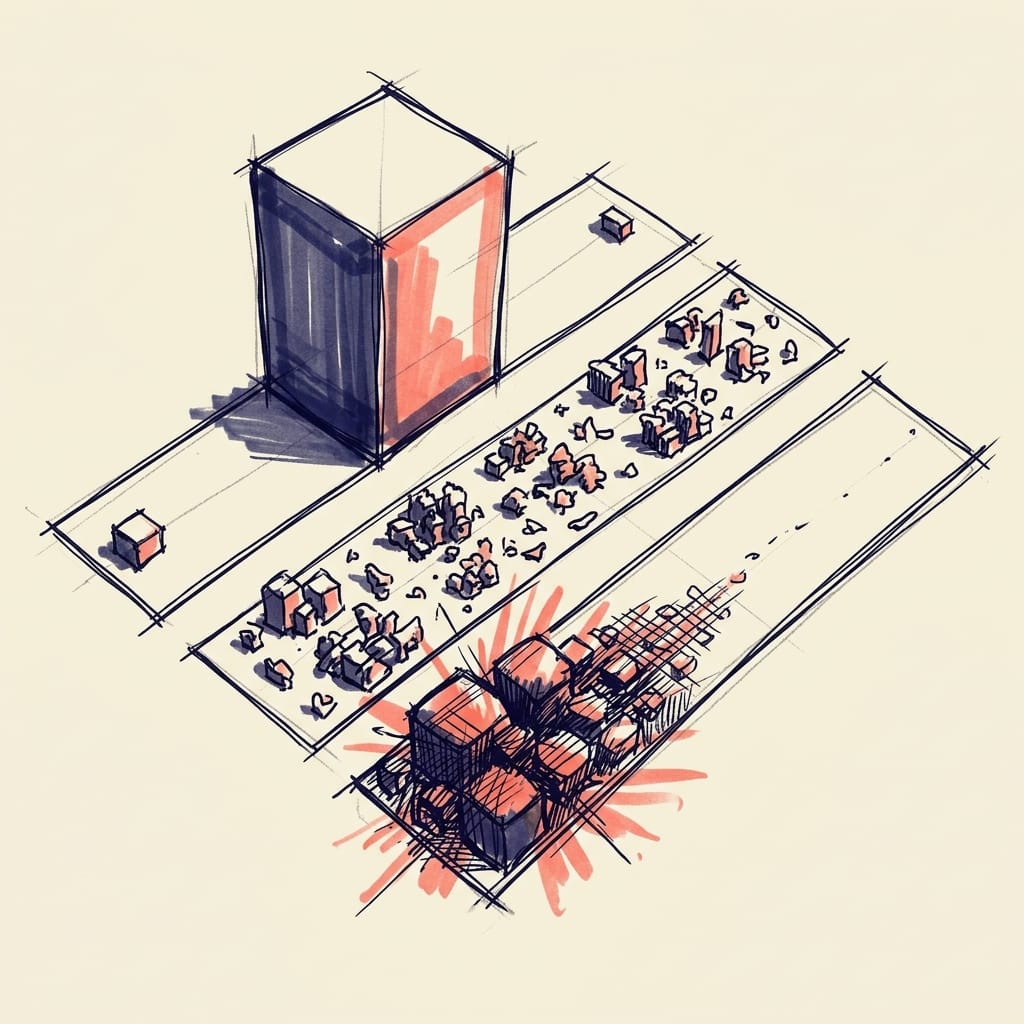
Cross-partition queries are an architecture smell when they dominate critical paths. Occasional analytical fan-out is fine. Core transactional fan-out is not.
The biggest offenders are often not the customer-facing APIs. They are:
- admin dashboards
- support tools
- fraud reviews
- compliance exports
- background workflows
- AI retrieval layers
- “temporary” reporting endpoints that become permanent
Cosmos DB documentation is clear that query efficiency is tied to data distribution, and fan-out can cost more RU than targeted partition-local access (Microsoft Learn: query). If your primary workload repeatedly needs data that the partition key refuses to co-locate, you have two honest options:
- choose a better primary key
- design explicit read models or materialized views for the other access paths
Hierarchical partition keys help, but they do not remove responsibility
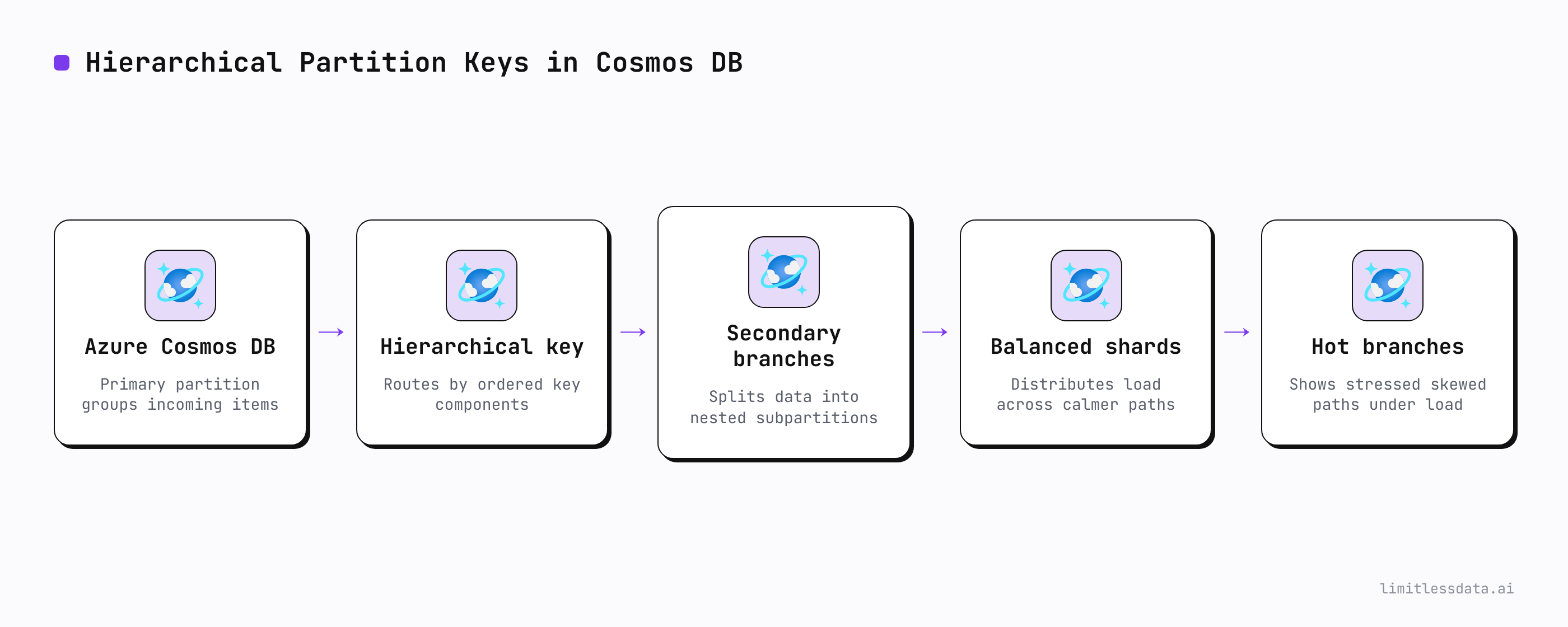
Azure Cosmos DB supports hierarchical partition keys, which gives architects a more nuanced design surface for distribution and access alignment (Microsoft Learn: Azure Cosmos DB overview).
Good examples include:
- tenant plus domain entity
- tenant plus region
- tenant plus bounded time bucket
That can improve distribution while preserving useful locality. But hierarchical keys help only when the workload actually benefits from that hierarchy and when the leading dimension is not itself catastrophically skewed.
Hierarchy should follow workload shape, not schema aesthetics. Encoding every dimension because it feels “complete” is not architecture.
You should also validate hotspot risk explicitly. A simple RU concentration simulation can reveal whether a candidate still leaves too much pressure on a small set of keys.
# Simulate RU concentration by partition key and flag hot-partition candidates
from collections import defaultdict
import random

random.seed(11)
events = []
for i in range(1500):
    tenant = random.choice(["t1"] * 70 + ["t2"] * 20 + ["t3"] * 10)
    ru_cost = random.choice([3, 5, 8, 13])
    events.append({"tenantId": tenant, "userId": f"u{random.randint(1, 400)}", "ru": ru_cost})

def score(events, key_fn):
    ru_by_key = defaultdict(int)
    for e in events:
        ru_by_key[key_fn(e)] += e["ru"]
    total_ru = sum(ru_by_key.values())
    hottest_key, hottest_ru = max(ru_by_key.items(), key=lambda kv: kv[1])
    share = hottest_ru / total_ru
    return hottest_key, hottest_ru, round(share, 3), ("HOT" if share > 0.2 else "OK")

for label, fn in {
    "/tenantId": lambda e: e["tenantId"],
    "/tenantId#userId": lambda e: f'{e["tenantId"]}#{e["userId"]}',
}.items():
    print(label, score(events, fn))
What to observe: adding dimensions can reduce concentration, but only if those dimensions actually reflect the way load is generated.
AI and RAG workloads break naive assumptions about locality
This is the trap many teams are walking into right now.
They choose a partition key around today’s CRUD paths, then six months later add:
- semantic retrieval
- assistant memory
- knowledge-grounded search
- event-driven enrichment
- popularity- or recency-driven recommendations
Those workloads do not always follow ownership boundaries like tenant or user. They often shift read pressure toward shared knowledge domains, recent content, high-value entities, or broad retrieval patterns. That means a partition key optimized only for transactional ownership can trap future AI features behind expensive cross-partition retrieval.
Architects should forecast for:
- operational reads
- retrieval augmentation
- cache-like hot content access
- enrichment pipelines
- admin and support exploration
And then ask a hard question: will this key still be defensible when the application is no longer just CRUD?
The hidden cost of getting it wrong — and the guardrails worth standardizing
The long-term cost of a bad partition key is rarely one dramatic outage. It is the accumulation of compensating controls:
- elevated RU consumption
- duplicate containers
- custom routing logic
- write-time denormalization done in a panic
- caches that exist only to hide partition mistakes
- support incidents that look unrelated
- migration programs nobody budgeted for
Repartitioning is painful because it usually means:
- data migration
- dual writes
- backfill validation
- application cutover risk
- rollback planning
- weeks of operational attention
The cheapest time to debate partition keys is before the first successful launch.
That is why I think platform teams should standardize guardrails:
- architecture reviews that require candidate keys and tradeoff scoring
- synthetic workload tests before production
- partition heat monitoring
- RU budget alerts
- documented repartition fallback plans
The Cosmos DB emulator is useful for validating data models and access patterns early, but emulator success is not proof that production-scale partition behavior will hold (Microsoft Learn: emulator). Use it to learn, not to declare victory.
For production visibility, I want teams watching RU pressure, throttling, and latency as architecture signals, not just operations signals.
# Pull partition-related signals and summarize spikes for architecture reviews
param(
    [string]$SubscriptionId = "<sub-id>",
    [string]$ResourceGroup = "<rg>",
    [string]$AccountName = "<cosmos-account>"
)

$resourceId = "/subscriptions/$SubscriptionId/resourceGroups/$ResourceGroup/providers/Microsoft.DocumentDB/databaseAccounts/$AccountName"
$metricNames = @("NormalizedRUConsumption", "ServerSideLatency", "ThrottledRequests")
$data = Get-AzMetric -ResourceId $resourceId -MetricName $metricNames `
    -StartTime (Get-Date).AddDays(-1) -EndTime (Get-Date) -TimeGrain 01:00:00

$data | ForEach-Object {
    $peak = ($_.Data | Measure-Object -Property Maximum -Maximum).Maximum
    [pscustomobject]@{
        Metric = $_.MetricName.Value
        Peak   = $peak
        Alert  = if ($_.MetricName.Value -eq "ThrottledRequests" -and $peak -gt 0) { "Investigate" } else { "OK" }
    }
} | Format-Table -AutoSize
What to observe: account- or container-level metrics can indicate symptoms, but they are not enough by themselves to diagnose partition-key design. Before concluding the key is the root cause, combine those signals with deeper partition-level diagnostics and workload tracing.
A simple guardrail report can make that review repeatable.
# Create a simple guardrail report that flags sustained throttling or high RU pressure
param(
    [double]$RuThreshold = 80,
    [double]$ThrottleThreshold = 1
)

$sample = @(
    [pscustomobject]@{ Metric="NormalizedRUConsumption"; Peak=92 },
    [pscustomobject]@{ Metric="ThrottledRequests"; Peak=4 },
    [pscustomobject]@{ Metric="ServerSideLatency"; Peak=18 }
)

$sample | ForEach-Object {
    $status = "OK"
    if ($_.Metric -eq "NormalizedRUConsumption" -and $_.Peak -ge $RuThreshold) { $status = "Review partition strategy" }
    if ($_.Metric -eq "ThrottledRequests" -and $_.Peak -ge $ThrottleThreshold) { $status = "Hot partition risk" }
    [pscustomobject]@{ Metric = $_.Metric; Peak = $_.Peak; Status = $status }
} | Format-Table -AutoSize
My opinionated checklist for choosing the least-wrong key
Before you approve a Cosmos DB design, ask these questions:
- Which reads are most frequent and most expensive, and do they stay partition-local?
- What is the hottest expected tenant, actor, or entity at 10x current size?
- What support, admin, export, and retention workflows will exist six months after launch?
- What business event could create concentrated load on one key value?
- If AI or retrieval features are added next year, does the key still make sense?
- If we are wrong, what is the migration path and blast radius?
My position is simple: prefer keys that degrade gracefully under skew over keys that look elegant in idealized averages. Cosmos DB partitioning is foundational to throughput and storage distribution, logical partitions have real limits, and cross-partition access has real cost. Microsoft’s own guidance across partitioning, limits, query behavior, consistency, overview, and emulator usage supports treating this as an up-front architecture decision, not late-stage tuning.
In Cosmos DB, partition keys are where data modeling becomes executive architecture.
What partition key looked right at launch and hurt later? Or which tradeoff did you choose on purpose: tenant isolation, query locality, or skew tolerance?
#CosmosDB #DataArchitecture #Azurecloud
Sources & References
- Azure Cosmos DB documentation - Azure Cosmos DB
- Partitioning and horizontal scaling - Azure Cosmos DB
- Unified AI Database - Azure Cosmos DB
- Service Quotas and Default Limits - Azure Cosmos DB
- Query Language for Cosmos DB (in Azure and Fabric) Documentation
- Consistency level choices - Azure Cosmos DB
- Use the emulator for development and CI - Azure Cosmos DB
Try it yourself
Run this tutorial as a Jupyter notebook: Download runbook.ipynb (23 cells, 18 KB).