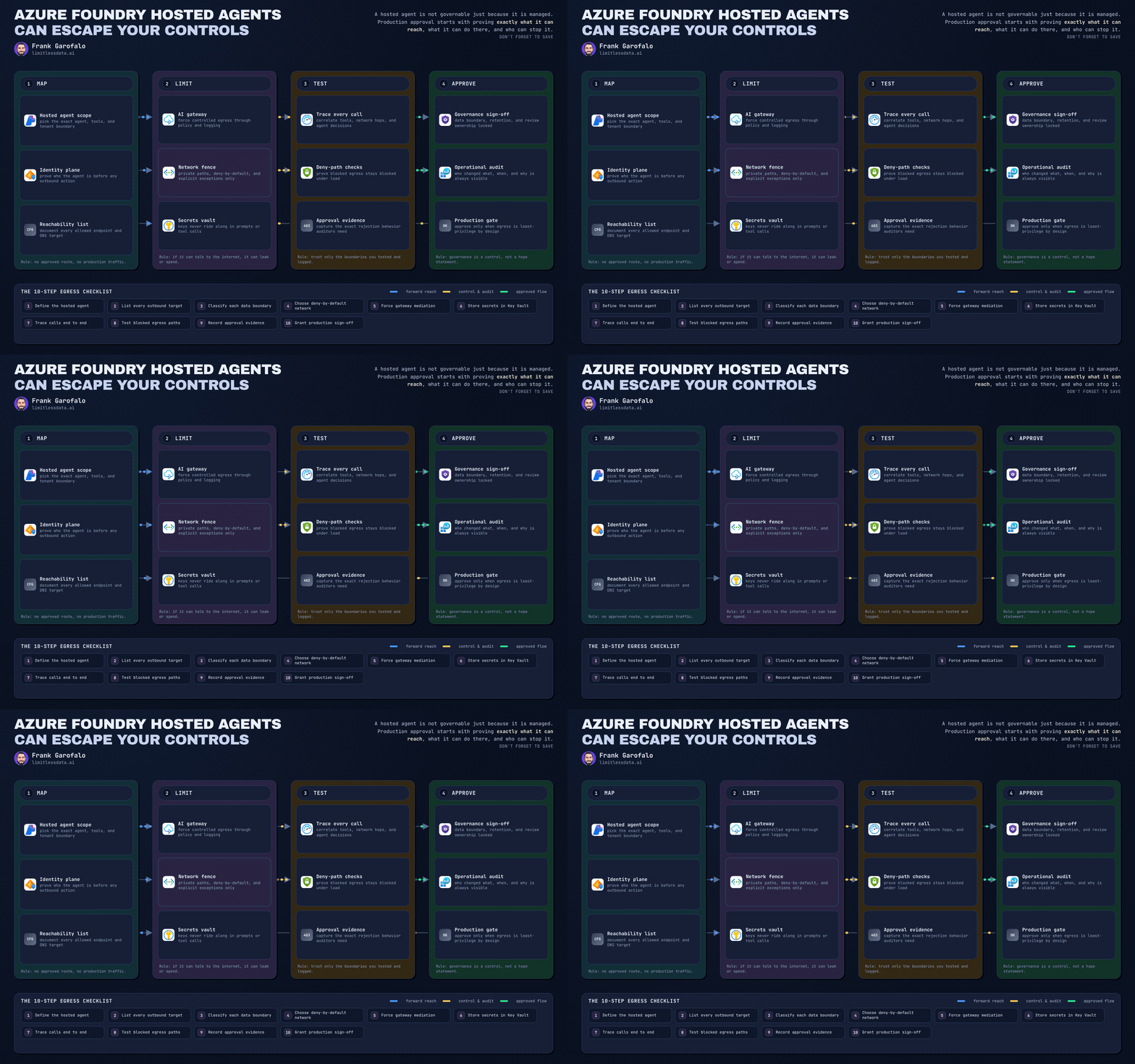
Foundry Hosted Agents as a deployment model for enterprise platform teams
Foundry Hosted Agents as a deployment model for enterprise platform teams


Agents need release engineering, not demo theater.
Enterprise teams are moving past agent demos and into the harder question: how do you deploy agents with the same discipline you already apply to APIs and apps?
That is why Foundry Hosted Agents matter.
They are not just a convenient runtime. For enterprise platform teams, they are a deployment model: a managed way to package, expose, secure, observe, and promote agents across environments with policy guardrails, instead of bolting agent logic onto local scripts or one-off containers.
This is a platform-pattern tutorial, not a click-by-click portal walkthrough. The goal is to give you a reference implementation path you can standardize in CI/CD: provision a Foundry project, deploy a model, publish a Hosted Agent, front it with APIM, assign identities, run smoke tests, and promote to the next environment.
Microsoft’s Azure AI Foundry quickstarts establish the baseline flow clearly: create Foundry resources, deploy a model, then build agents on top of that foundation. The code quickstart shows the core lifecycle concepts, and the Hosted Agent quickstart extends that into a managed deployment path. Those are the building blocks we will turn into an enterprise platform pattern here, not just a hello-world exercise.
A concrete field note: in Q4, a 40-person internal platform team I worked with had 7 separate agent pilots running from laptops, GitHub Actions runners, and two unmanaged containers before anyone could answer which identity each agent used to call downstream systems.
Step 1: Understand why Hosted Agents are now a platform concern
The first generation of enterprise agent work happened in notebooks, local scripts, and isolated proof-of-concept apps. That was fine for learning. It is not fine for production.
Once an agent is used by employees, customers, or business workflows, platform teams need the same controls they already expect for APIs and applications:
- environment separation
- identity boundaries
- release promotion
- observability
- rollback
- policy enforcement
- least-privilege access
Hosted Agents fit this moment because they move runtime concerns into a managed service pattern while still letting you define agent behavior, tool access, and deployment workflow.
Our goal is not merely to get an agent running. Our goal is to stand up a repeatable platform pattern for Hosted Agents in Azure AI Foundry that includes:
- dev, test, and prod boundaries
- model dependency management
- RBAC and workload identity
- secret handling
- API gateway controls
- telemetry and smoke tests
- promotion and rollback thinking

Step 2: Define what Foundry Hosted Agents actually are
Foundry Hosted Agents provide a deployment path for containerized AI agents that call Foundry models and use Foundry tools through Foundry Agent Service.
Keep these layers mentally separate:
- Foundry resources and project foundation
- model deployment
- agent definition and runtime behavior
- tool access and external dependencies
- client interaction through playgrounds, apps, or APIs
Hosted Agents reduce the amount of runtime plumbing you need to build yourself. They do not remove your responsibility for governance.
Platform teams still own:
- access design
- role assignments
- release process
- network and policy decisions
- production readiness standards
- incident response
Managed hosting is not the same thing as managed operations.
Step 3: Choose the right deployment model before you standardize
You should be explicit about the trade-offs.
Local or ad hoc deployment
- fastest path to experimentation
- weakest repeatability
- inconsistent identity and secret handling
- poor fit for shared operational ownership
Custom self-hosted deployment
- maximum runtime control
- best if you need highly specialized hosting behavior
- highest burden for patching, scaling, observability, and secure operations
Foundry Hosted Agents
- faster path to production than self-hosting
- more governed and repeatable than local scripts
- good fit when platform teams want a standard deployment workflow
- may limit some low-level runtime customization compared with fully self-managed hosting
For many enterprise platform teams, Hosted Agents are the middle path that reduces operational drag without forcing every app team to invent its own runtime model. That said, highly regulated networking requirements, custom runtime controls, or specialized execution environments may still justify self-hosting.

Step 4: Sketch the reference architecture you will standardize
A practical enterprise pattern looks like this:
- Azure AI Foundry hub/project as the control boundary
- deployed model as a versioned dependency
- Hosted Agent as the managed runtime
- tool integrations for approved external actions
- Azure API Management AI gateway in front for policy and routing
- RBAC and workload identities for access control
- secret store for credentials
- Azure Monitor for telemetry
- consuming apps, copilots, or internal services as clients
Microsoft’s Azure Architecture Center baseline Foundry chat architecture explicitly includes Foundry Agent Service alongside App Service and Azure Monitor, which is a strong signal that agents belong inside broader enterprise application topologies.
Here is the high-level release path platform teams should aim for.

Reference implementation path in one line: provision Foundry project, deploy model, publish Hosted Agent, front it with APIM, assign identities, run smoke tests, then promote dev to test to prod with explicit gates.
Step 5: Create Foundry resources, validate prerequisites, and establish environment boundaries
Do not let one Foundry project become both sandbox and production runtime.
Create separate dev, test, and prod environments from day one. That gives you clean boundaries for:
- RBAC assignments
- model deployment versions
- secret scopes
- validation gates
- rollback decisions
This illustrative Bicep snippet shows how to define a reusable naming and tagging pattern for Hosted Agent environments.
// Bicep: Parameterize a reusable enterprise naming pattern for Foundry-hosted deployments
targetScope = 'resourceGroup'

@minLength(2)
param appName string = 'platagent'

@allowed([
  'dev'
  'test'
  'prod'
])
param environment string = 'dev'

param location string = resourceGroup().location

var suffix = uniqueString(subscription().id, resourceGroup().id, appName, environment)
var aiServiceName = 'ai-${appName}-${environment}-${take(suffix, 6)}'
var tags = {
  workload: 'foundry-hosted-agent'
  owner: 'platform-team'
  env: environment
}
What to observe: environment is an explicit deployment parameter and tags capture workload, owner, and environment for automation.
A second infrastructure layer is the Azure AI Services account your teams can consistently provision across environments.
// Bicep: Create an Azure AI Services account that platform teams can standardize across environments
targetScope = 'resourceGroup'

param aiServiceName string
param location string = resourceGroup().location

resource ai 'Microsoft.CognitiveServices/accounts@2024-10-01' = {
  name: aiServiceName
  location: location
  kind: 'AIServices'
  sku: {
    name: 'S0'
  }
  properties: {
    customSubDomainName: aiServiceName
    publicNetworkAccess: 'Enabled'
  }
}
Before anyone provisions resources, validate the basics and derive stable environment variables for the pipeline.
# PowerShell: Validate local prerequisites and derive deterministic names for CI/CD
param(
  [string]$AppName = "platagent",
  [ValidateSet("dev","test","prod")]
  [string]$Environment = "dev",
  [string]$Location = "eastus"
)

$subscriptionId = (az account show --query id -o tsv)
if (-not $subscriptionId) { throw "Azure CLI login required." }

$resourceGroup = "rg-$AppName-$Environment"
$hashInput = "$subscriptionId|$resourceGroup|$AppName|$Environment"
$bytes = [System.Text.Encoding]::UTF8.GetBytes($hashInput)
$sha = [System.Security.Cryptography.SHA256]::Create()
$hash = $sha.ComputeHash($bytes)
$suffix = -join ($hash[0..2] | ForEach-Object { $_.ToString("x2") })
$aiServiceName = "ai-$AppName-$Environment-$suffix"

"AZURE_LOCATION=$Location"
"AZURE_RESOURCE_GROUP=$resourceGroup"
"AZURE_AI_SERVICE_NAME=$aiServiceName"
Next, create the resource group if needed and verify the AI service account exists before you move on to model and agent work.
# PowerShell: Create or validate the resource group and AI service account for hosted agent rollout
param(
  [string]$ResourceGroup,
  [string]$Location,
  [string]$AiServiceName
)

az group create --name $ResourceGroup --location $Location | Out-Null

$exists = az cognitiveservices account show `
  --name $AiServiceName `
  --resource-group $ResourceGroup `
  --query name -o tsv 2>$null

if (-not $exists) {
  az cognitiveservices account create `
    --name $AiServiceName `
    --resource-group $ResourceGroup `
    --location $Location `
    --kind AIServices `
    --sku S0 | Out-Null
}

az cognitiveservices account show --name $AiServiceName --resource-group $ResourceGroup --output table
What to observe: the pattern here is idempotent provisioning. Enterprise pipelines should be able to rerun safely without operators manually cleaning up half-created infrastructure.

Step 6: Deploy a baseline model and validate access paths
Microsoft’s Foundry quickstarts are clear on sequence: resource foundation first, model deployment second, agent work after that.
That order matters operationally.
A Hosted Agent depends on a deployed model. If model deployment is treated as a hidden manual step, your release process is already brittle.
Platform teams should define:
- which model deployment names are approved per environment
- who can create or update deployments
- how model changes are promoted
- what compatibility checks are required before agent rollout
For SDK examples, be careful about over-specifying rapidly evolving client surfaces. The safest pattern is to treat deployment validation code as illustrative pseudocode based on current SDK patterns unless you have pinned SDK versions in your repo.
# Python: Confirm the target model deployment exists before exercising the Hosted Agent
# Illustrative pseudocode based on current Azure AI Foundry SDK patterns.
import os
from azure.identity import DefaultAzureCredential
from azure.ai.projects import AIProjectClient

project = AIProjectClient(
    endpoint=os.environ["PROJECT_ENDPOINT"],
    credential=DefaultAzureCredential(),
)

deployment_name = os.environ["MODEL_DEPLOYMENT_NAME"]

# Replace this with the deployment-listing surface for the SDK version you pin in your project.
deployments = []  # e.g., retrieved from the project's deployments/inference management client
names = [d.name for d in deployments]

if deployment_name not in names:
    raise SystemExit(f"Deployment '{deployment_name}' not found. Available: {names}")

print(f"Validated deployment: {deployment_name}")
What to observe: this is the kind of gate you want before running any agent validation. If the model dependency is missing, fail early and clearly rather than debugging agent behavior that was never going to work.
Step 7: Build and deploy your first Hosted Agent
When you deploy your first Hosted Agent, resist the urge to make it powerful.
Start with:
- a narrow system prompt
- a small approved tool surface
- one model dependency
- one clear business task
- one smoke-testable multi-turn behavior
That makes it easier to reason about both security and correctness.
A simple sequence diagram helps align platform and app teams on what gets validated and when.
sequenceDiagram
    participant PT as Platform Team
    participant CI as CI/CD Pipeline
    participant AF as Azure AI Foundry
    participant HA as Hosted Agent
    participant ST as Smoke Test

    PT->>CI: Commit infra + agent config
    CI->>AF: Provision project and model deployment
    CI->>HA: Publish Hosted Agent
    ST->>AF: Validate model deployment exists
    ST->>HA: Send multi-turn conversation
    HA-->>ST: Return grounded response
    ST-->>CI: Pass/Fail gate
What to observe: model validation and agent smoke testing are separate gates. That separation is healthy because a valid model deployment does not guarantee a valid agent configuration.

Step 8: Add smoke tests for multi-turn behavior
Before you run smoke tests, validate that the required endpoint, model deployment name, and Hosted Agent identifier are present.
# Python: Validate required environment variables before running hosted-agent smoke tests
import os

required = [
    "PROJECT_ENDPOINT",
    "MODEL_DEPLOYMENT_NAME",
    "HOSTED_AGENT_ID",
]

missing = [name for name in required if not os.getenv(name)]
if missing:
    raise SystemExit(f"Missing environment variables: {', '.join(missing)}")

print("Environment looks good:")
for name in required:
    print(f" - {name}={os.getenv(name)}")
Then keep the smoke test internally consistent in one script: create the thread, run the conversation, capture the response, and assert on it in the same execution unit.
# Python: Run a minimal multi-turn smoke test against a Foundry Hosted Agent
# Illustrative pseudocode based on current Azure AI Foundry SDK patterns.
import os
from azure.identity import DefaultAzureCredential
from azure.ai.projects import AIProjectClient

project = AIProjectClient(
    endpoint=os.environ["PROJECT_ENDPOINT"],
    credential=DefaultAzureCredential(),
)

agent_id = os.environ["HOSTED_AGENT_ID"]

# Replace these calls with the exact agents/thread/message/run APIs for the SDK version you pin.
thread = None  # e.g., create a conversation thread
thread_id = getattr(thread, "id", "<thread-id>")

# e.g., add first user message: "Reply with the word READY."
# e.g., create/process a run for agent_id on thread_id
# e.g., add second user message: "Now summarize your previous answer in 3 words."
# e.g., create/process a second run

assistant_text = "READY"

if "READY" not in assistant_text.upper():
    raise SystemExit("Smoke test failed: expected READY in assistant response.")

print(f"Smoke test passed for thread: {thread_id}")
print(assistant_text)
What to observe: the point is not sophisticated evaluation. The point is proving that the agent can accept input, process a run, maintain thread context, and return output across multiple turns.
If you do want separate CI steps, persist the created thread ID explicitly as a pipeline variable or artifact rather than assuming an external SMOKE_THREAD_ID appears later.
Step 9: Standardize identity, RBAC, secrets, and gateway policy
Microsoft documents Azure AI Foundry RBAC concepts, including scopes, built-in roles, and assignment patterns. Use that to answer four design questions:
- Which human operators need project-level access?
- Which service principals or workload identities need deployment or runtime access?
- Which teams should have read-only visibility?
- At what scope should each assignment live?
A healthy pattern is:
- human operators get role-based access for management tasks
- workloads get their own identity for runtime tasks
- CI/CD gets a separate deployment identity
- emergency access is explicit and auditable
Secrets should not live in:
- source code
- container images
- local shell history
- pipeline variables without governance
And an agent’s effective blast radius is determined less by its prompt than by what its tools and downstream credentials can do.
This is also where Azure API Management AI gateway belongs in the pattern. If every consuming application implements its own authentication, throttling, and routing logic for agent endpoints, you will get inconsistent controls and fragmented observability. If APIM sits in front, you can standardize:
- authentication
- rate limiting
- routing
- request and response policies
- backend abstraction
- usage governance across multiple agents and models
Step 10: Add observability and day-2 operations
For Hosted Agents, platform telemetry should include at least:
- request latency
- failure rates
- tool invocation patterns
- token usage where available
- policy denials
- dependency failures
- environment and version metadata
The Azure Architecture Center baseline Foundry chat architecture includes Azure Monitor for exactly this reason: production agent systems need operational telemetry, not just prompt logs.
A minimum runbook set should cover:
- rollback to prior agent version
- model version swap
- secret rotation
- dependency outage triage
- noisy-agent containment
- access revocation
- smoke-test rerun after change
Not every agent quality dimension is fully automatable, but platform teams can still define SLO-style expectations for:
- availability
- latency
- successful run completion
- bounded failure behavior
That is much better than declaring the agent working because a demo succeeded once.
Step 11: Add release management and rollback patterns
Treat prompts, tools, models, and environment configuration as versioned release artifacts.
A behavior change can be introduced by:
- prompt edits
- tool permission changes
- model deployment swaps
- environment variable changes
- dependency updates
If those are not versioned and promoted together, rollback becomes guesswork.
A practical promotion flow is:
- deploy to dev
- validate model dependency
- run Hosted Agent smoke tests
- review telemetry and policy outcomes
- approve promotion to test
- repeat validation
- approve promotion to prod
The important thing is not ceremony for its own sake. It is deterministic change control.
Step 12: Run a security review before production rollout
If your agent consumes untrusted content or invokes tools based on model output, prompt injection is not an edge case. It is a core design concern.
Review:
- how instructions from external content are handled
- whether tool execution is constrained
- whether high-impact actions require approval
- how unsafe or ambiguous outputs are contained
For high-impact operations, production rollout should require one of:
- approval workflows
- constrained execution
- read-only default modes
- explicit allowlists for tool actions
A safe agent should fail by:
- refusing the action
- asking for clarification
- escalating to a human
- returning a bounded error
It should not fail by improvising with excessive permissions.
Step 13: Fit Hosted Agents into Microsoft 365 and Power Platform ecosystems
Microsoft 365 developer guidance emphasizes enterprise-grade agents and Copilot extensibility. Power Platform documentation similarly highlights AI-driven agents and automation scenarios.
The platform implication is simple:
Your deployment standard cannot stop at one runtime surface.
As more organizations expose agent capabilities through Microsoft 365 experiences, internal apps, and Power Platform workflows, platform teams need shared standards for:
- identity
- policy
- telemetry
- lifecycle management
- environment promotion
Hosted Agents can serve as a backend operational pattern in that broader ecosystem, even when the user-facing experience lives elsewhere.
Step 14: Use this implementation checklist as your minimum enterprise standard
If you want a practical starting point, standardize these first:
- separate dev, test, and prod Foundry environments
- approved model deployments per environment
- Hosted Agent packaging and deployment workflow
- RBAC assignments by scope and role
- separate human, runtime, and CI/CD identities
- externalized secrets with rotation process
- APIM AI gateway as the front door
- Azure Monitor-aligned telemetry
- smoke tests in pipeline
- release approvals and rollback plan
A realistic rollout path for a platform team is:
- build one reference Hosted Agent
- put it behind APIM
- define RBAC and secret standards
- add smoke tests and telemetry
- promote through dev, test, prod
- document the pattern
- onboard additional teams into the same model
- evolve toward a governed internal catalog of agents
The core message is still the same:
Foundry Hosted Agents should be treated as a standardized deployment model for enterprise platform teams.
Not a shortcut. Not a one-off runtime. Not a clever wrapper around a local script.
A deployment model.
The same way mature teams standardized API publishing and application hosting, they now need to standardize how agents are packaged, exposed, secured, observed, and promoted.
If you do that early, Hosted Agents become a force multiplier.
If you skip it, every smart assistant becomes its own snowflake.
How are you standardizing identity, gateway policy, and promotion for agents today?
#Azureaifoundry #EnterpriseAI #APIM
Sources & References
- Quickstart: Set up Microsoft Foundry resources - Microsoft Foundry
- Official Microsoft Power Platform documentation - Power Platform
- Microsoft 365 developer documentation - Microsoft 365 Developer
- AI gateway capabilities in Azure API Management
- Microsoft Foundry Quickstart - Microsoft Foundry
- Role-based access control for Microsoft Foundry - Microsoft Foundry
- Step 6: Host Your Agent
- Baseline Microsoft Foundry Chat Reference Architecture - Azure Architecture Center
- Azure Pipelines Agents - Azure Pipelines
- Quickstart: Deploy your first hosted agent - Microsoft Foundry
Try it yourself
Run this tutorial as a Jupyter notebook: Download runbook.ipynb (37 cells, 31 KB).